Pageoptimized
Module 06

Content systems

Plan, create, maintain, consolidate, and retire content based on audience value and evidence rather than publishing volume.

  • Writers
  • Editors
  • SEO specialists
  • Agencies
Module case file

Northstar CRM must refresh content without rewriting on instinct

The B2B SaaS site has a library of comparison and implementation articles. The team needs a repeatable way to diagnose decay, approve work, publish safely, and keep history.

Page group
CRM comparisons and implementation guides
Review period
Previous 90 days vs. prior 90 days
Signals
Clicks, impressions, rankings, conversions, page changes
Allowed actions
Keep, refresh, merge, redirect, prune, monitor
Your finished deliverable

Complete one evidence-backed brief and one recurring maintenance workflow that creates owned tasks only when the evidence threshold is met.

Lesson 6.1

Build an evidence-backed brief

Give creators the audience task, existing coverage, required proof, and success check.

Why this matters

A content brief should reduce ambiguity, not dictate a generic word count or manufacture expertise.

Build yours

  1. Attach audience and intent evidence.
  2. Link existing related pages and cannibalization risks.
  3. List required first-party evidence and expert inputs.
  4. Define page type, internal links, owner, and success check.
Completed example: Northstar CRM

Evidence-backed refresh brief

The brief shows why the page should change and what must remain true.

Finished output

Page
/compare/northstar-vs-hubspot/
Observed change
Clicks down 28%; impressions down 4%; position 5.2 to 8.6
Likely gap
Outdated migration, pricing, and automation comparison
Required proof
Current product screenshots, pricing date, source links
Decision

Refresh the comparison in place; preserve useful sections and verify every competitor claim.

Save this in

Content Plan brief linked to the Search Console decay cohort.

Before you move on

  • The brief explains why the page should exist.
  • Original evidence has an owner.
  • No word count is used as a quality target.
Lesson 6.2

Publish with editorial and technical QA

Verify usefulness, accuracy, accessibility, and search controls before launch.

Why this matters

Publishing is a coordinated release: content, templates, metadata, links, schema, tracking, and approvals should agree.

Build yours

  1. Verify claims and sources.
  2. Review task completion and readability.
  3. Check title, headings, links, media, canonicals, robots, and schema.
  4. Confirm analytics and the review owner.
Completed example: Northstar CRM

Release checklist for the comparison refresh

The team can verify the page before and after publication.

Finished output

Editorial
Claims sourced; screenshots current; reviewer approved
Technical
Canonical unchanged; 200 status; links valid; schema matches
Measurement
Annotation Aug 28; query and conversion cohorts saved
Rollback
Previous version and changed sections recorded
Decision

Publish only after product and legal reviewers approve competitor claims.

Save this in

Work Queue release task with checklist and version link.

Before you move on

  • Claims are attributable.
  • The page works without hidden context.
  • Release controls are verified.
Lesson 6.3

Diagnose decay before refreshing

Distinguish lost demand, ranking loss, CTR change, competition, technical issues, and content staleness.

Why this matters

A declining graph does not prescribe a rewrite. Segment the movement, inspect the result environment, and check technical and page changes first.

Build yours

  1. Confirm the date and segment of decline.
  2. Compare impressions, position, CTR, and query mix.
  3. Review page and template changes.
  4. Inspect competing results and content freshness.
  5. Choose refresh, merge, redirect, keep, monitor, or remove.
Completed example: Northstar CRM

Decay diagnosis

Multiple signals separate ranking loss from seasonality or measurement noise.

Finished output

Comparison
Last 90 days vs. prior 90 days; US desktop
Clicks
Down 28%
Impressions
Down 4%
Average position
5.2 to 8.6
Classification
Ranking loss with stale comparison evidence
Decision

Refresh, do not prune: the task remains valuable and demand is largely intact.

Save this in

Content Pruning workflow candidate with evidence and Refresh recommendation.

Actual product

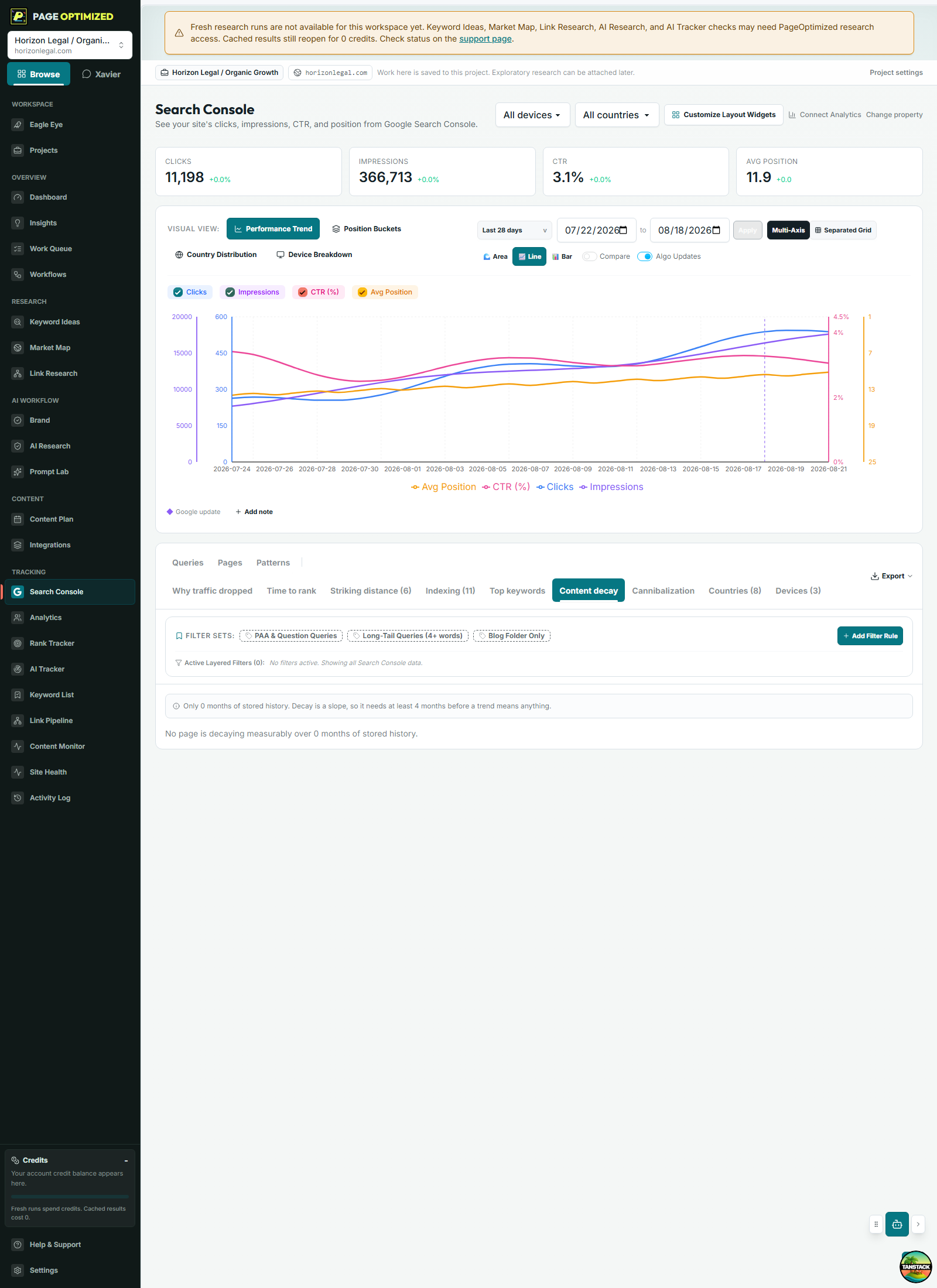
Find decay without spreadsheet preparation

The Decay view keeps affected pages, queries, comparison periods, and project context together so diagnosis can become work.

PageOptimized Search Console decay view showing declining pages and query evidence.Open full size
  1. Confirm the comparison.
  2. Open the affected page and queries.
  3. Check technical and content-change evidence.
  4. Create only the justified action.

Before you move on

  • The diagnosis explains the observed metric combination.
  • The action matches the likely cause.
  • Uncertain cases are monitored rather than forced into a rewrite.
Lesson 6.4

Create a living maintenance workflow

Run recurring checks that preserve evidence, decisions, tasks, and history.

Why this matters

Content maintenance should remember what changed, why a page was skipped, which task was created, and what happened after release.

Build yours

  1. Choose a trigger and page scope.
  2. Write diagnostic instructions and allowed actions.
  3. Require approval for spend, publishing, redirects, or removal.
  4. Send qualified actions to a persistent work queue.
  5. Review history before changing the workflow.
Completed example: Northstar CRM

Quarterly content maintenance workflow

The finished workflow creates a living project section and controlled tasks.

Finished output

Trigger
Every 3 months
Scope
Comparison and implementation articles older than 6 months
Instructions
Classify keep, refresh, merge, redirect, prune, or monitor with evidence
Allowed actions
Create recommendations and approval-required tasks
History
Last run, changes, decisions, skipped pages, workflow version
Decision

Require approval before any redirect, prune, or content write.

Save this in

Workflows > Content Maintenance, with a persistent Content Pruning section.

Before you move on

  • Trigger and scope are explicit.
  • High-impact actions require approval.
  • Each run preserves decisions and skipped-page reasons.
Primary references

Verify the practice at the source.

Practices and source links reviewed August 2026.