
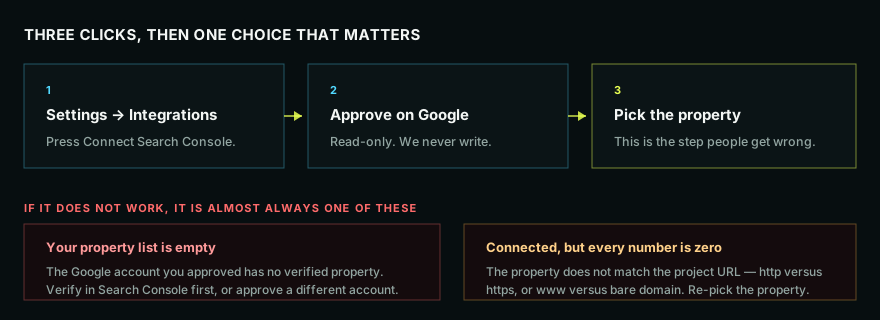
Three clicks, then one choice that matters. Do this before anything else — most of the product reads from it.
The steps
- Go to Settings → Integrations.
- Press Connect Search Console.
- Approve on Google's screen. We ask for read-only access. We never write to your property, submit anything, or change your settings.
- Pick the property that matches your project.
That last step is where it goes wrong, so it is worth being careful.
Picking the right property
Search Console treats these as different properties:
https://example.comandhttp://example.comhttps://example.comandhttps://www.example.com- A domain property (
example.com, covering everything) and a URL-prefix property (one exact prefix)
Pick the one that matches how your site actually serves pages. If your site redirects everything to https://www.example.com, pick that. A domain property is the safest choice when you have one, because it covers every variant.
What we do with it
- Real queries, clicks, impressions, and average position
- Page-level performance, so audit findings can be ranked by pages that actually earn traffic
- The traffic side of most diagnoses — a ranking change with no click change is a different story from one that cost you visits
What we never do
Write, submit, remove, or change anything. The access is read-only, and disconnecting is one click in the same place.
If something looks wrong
- Empty property list — the Google account you approved has no verified property. Verify in Search Console first, or reconnect with the account that owns it.
- Connected but every number is zero — nearly always a property mismatch. Reconnect and pick a different variant. See Search Console connected but shows no data.
- A permission or redirect error during approval — try again in a normal browser window rather than a private one, and make sure you are signed into the right Google account first.
Next
- Search Console connected but shows no data
- Your first week in PageOptimized